Enhance Your Online Payments with

Zoho Checkout logo with an icon of a document and checkmark next to the text "Zoho Checkout" in white, representing a secure online payments gateway on a transparent background.

Zoho Checkout makes it straightforward to create, manage, and optimize your online payments. Customize your checkout experience, analyze performance, and streamline transactions—all within a unified platform. Best of all, it’s included with Zoho One at no additional charge.

67%

of small businesses report that accepting digital payments has made bookkeeping easier

Source: Morning Consult

71%

of small businesses say that accepting digital payments has helped their business’s profitability grow

Source: Morning Consult

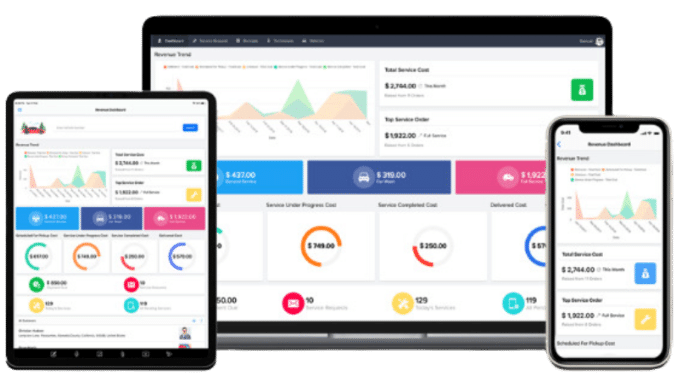
Preview of zoho dashboards

Try Zoho today!

Sign Up for a Free Zoho Account! Then Contact Us to Learn More!

Functionality and Benefits

Create Payment Pages: Build Without Code

Design secure, professional payment pages in minutes—no coding required. Zoho Checkout handles all the hosting and backend work so you can focus on getting paid faster.

Example: A small fitness studio creates a payment page for new client sign-ups without needing a developer. They share it on social media and start collecting payments immediately.

A no code payment page interface with fields for title, description, amount, and frequency options: one-time, recurring, or decided at checkout. "Save" and "Cancel" buttons are positioned at the bottom.
A user interface with a "Customize" panel for adjusting header color, image, title, font size, and font color overlaps a no code payment page template labeled "%PageTitle%".

Customize the Experience: Match Your Brand

Personalize fonts, colors, images, and fields to make your payment pages feel like a natural extension of your brand, giving customers confidence at checkout.

Example: An event planner customizes her payment pages to reflect her brand’s elegant aesthetic, reinforcing trust with clients booking services online.

Collect Payments Effortlessly: One-Time or Recurring

Accept payments for anything—whether it’s a single transaction or a monthly subscription. Embed pages on your site or share links via email and social media.

Example: A nonprofit sets up recurring donations through Zoho Checkout and shares the link in their newsletter, making it simple for supporters to give monthly.

A no code payment page featuring a digital donation form with fields for amount, contact details, and payment information, plus a blue "Submit" button at the bottom.

Zoho Checkout Integrations

Seamlessly integrate Zoho Checkout with other Zoho apps and third-party tools to enhance functionality.

Person scrolling on a tablet
Two people sit at a table in a modern office, smiling and discussing something on a laptop. Papers and a pen are on the table as they review options for launching their new no code payment page.

Frequently Asked Questions

No, Zoho Checkout is designed to be completely no-code. You can build and launch professional payment pages without any programming experience.

The number of payment pages you can create depends on your plan. The free plan allows 1 payment page, while paid plans support multiple pages with no limit.

The free plan supports up to 50 successful transactions.

Yes, Zoho Checkout allows you to set up recurring payment schedules such as weekly, monthly, or custom intervals—ideal for subscriptions or ongoing services.

Yes, Zoho Checkout uses SSL encryption and meets industry standards for securing payment data, ensuring safe transactions for both you and your customers.

Yes, payment pages can be embedded on your website or shared via a link on email, social media, or SMS.

Yes, Zoho offers a 14-day free trial of its paid plans, so you can explore advanced features before committing.

Absolutely. You can modify fonts, colors, backgrounds, labels, and more to match your brand and provide a seamless user experience.

Simplify How You Collect Payments Online

See How Zoho Checkout Can Streamline Your Payment Process

Whether you need to collect one-time fees, set up recurring payments, or design branded payment pages without any code, our team can help you make the most of Zoho Checkout. Contact us today to start collecting payments faster and more efficiently!

A woman in a yellow shirt sits at a desk working on a laptop in a modern office with large windows, efficiently creating a no code payment page.

KDG has great quality people who are very responsible, responsive, and customer-focused.

Vitaquest
Quotation mark icon